
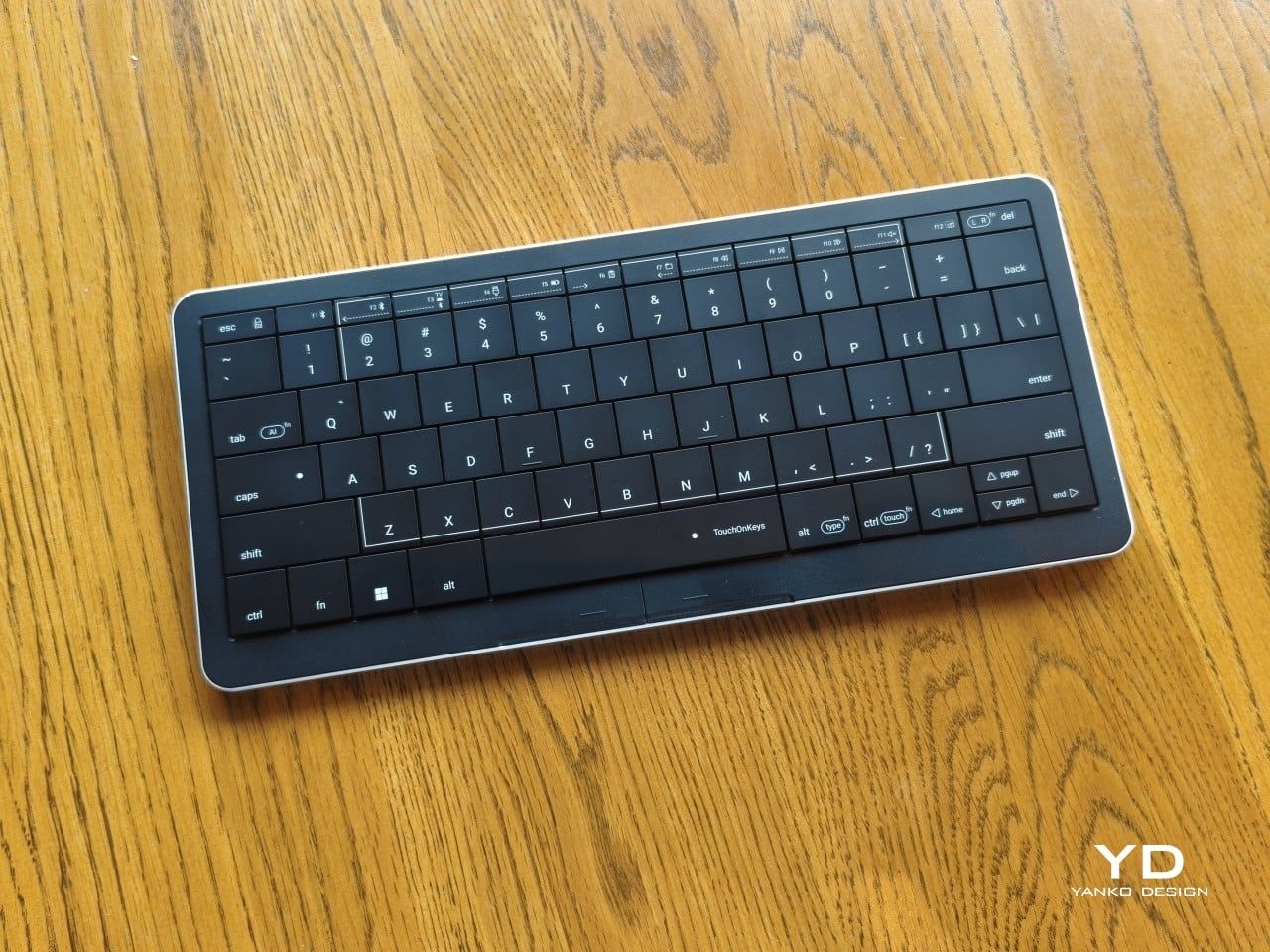
 esks have accommodated both keyboards and mice for decades, yet hands still must shuffle between them the moment typing gives way to clicking. This leaves users to cope with the cramped arrangement on crowded cafe tables where space barely suffices for a laptop, to say nothing of hauling an extra peripheral that demands its own square footage in a backpack.
The Clevetura S presents an intriguing answer by transforming the actual keys into a touchpad, offering fingers a way to navigate without ever leaving the typing surface. Measuring roughly 11.5 inches wide, 5.12 inches deep, and just 0.49 inches thick while tipping the scales at around 403 grams, this compact 78-key board packs Clevetura’s TouchOnKeys technology into a portable chassis.
When evaluating pricing tiers, this experimental hybrid commands a steep entry fee that easily outpaces standard compact office keyboards, which typically cost a fraction of the price while offering zero gesture-control headaches. Premium standalone trackpads from major manufacturers also cost significantly less than what Clevetura charges for its dual-purpose hardware, meaning buyers are paying a heavy luxury tax for a single-unit footprint rather than getting better core typing or tracking performance.
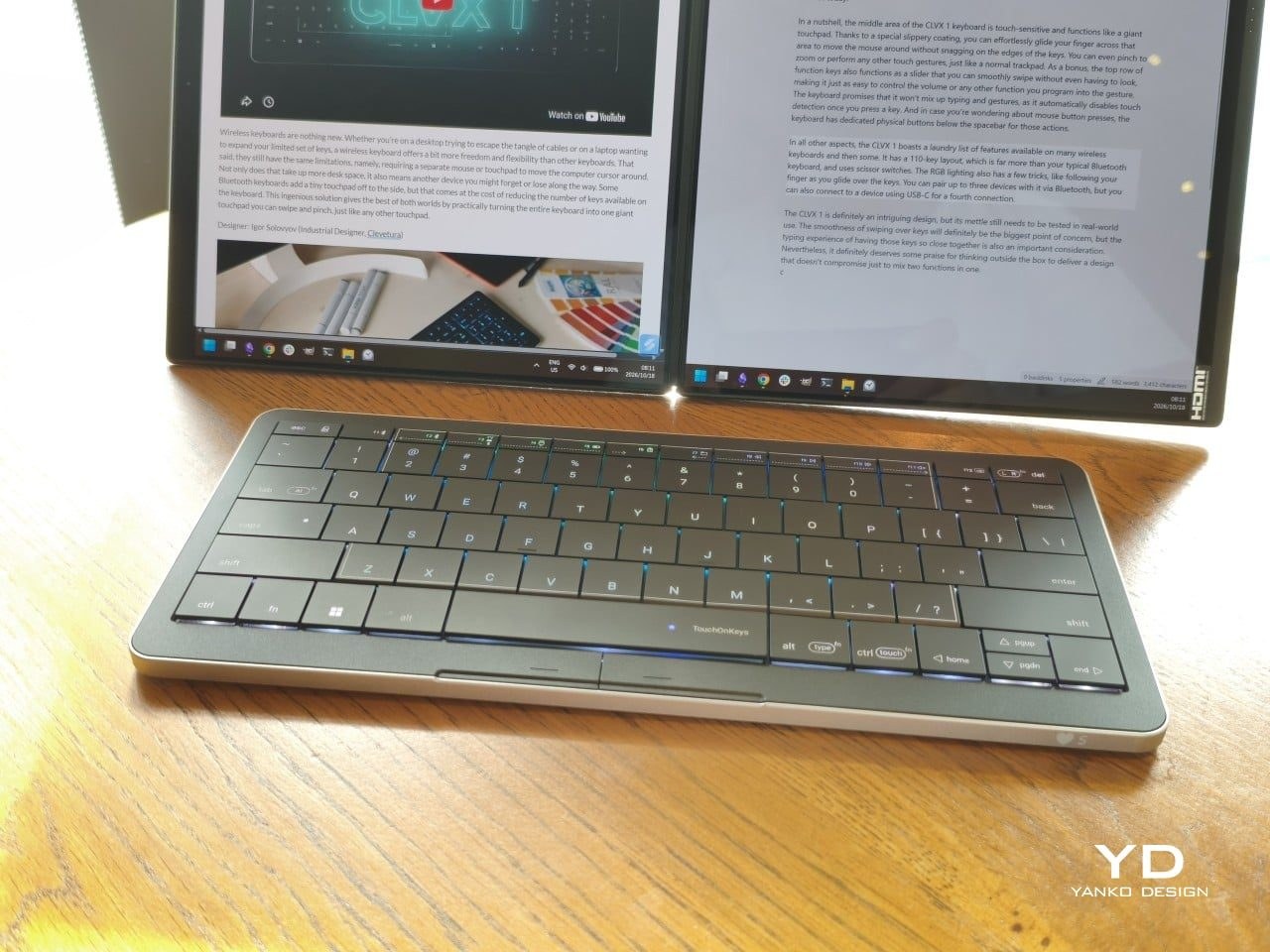
An anodized aluminum base forms the lower half of the device, paired with a polycarbonate top cover and ABS plastic keycaps that sit unusually close together in a tiled layout, leaving virtually no accidental gaps between switches. Two physical buttons located directly below the spacebar handle traditional left and right clicks—echoing older laptop designs—while per-key RGB lighting and scissor switches with roughly 1.2 millimeters of travel provide a familiar feel for anyone accustomed to a modern laptop keyboard.
The Clevetura S offers an interesting solution by turning the keys themselves into a touchpad, giving your fingers another way to get around without leaving the keyboard.
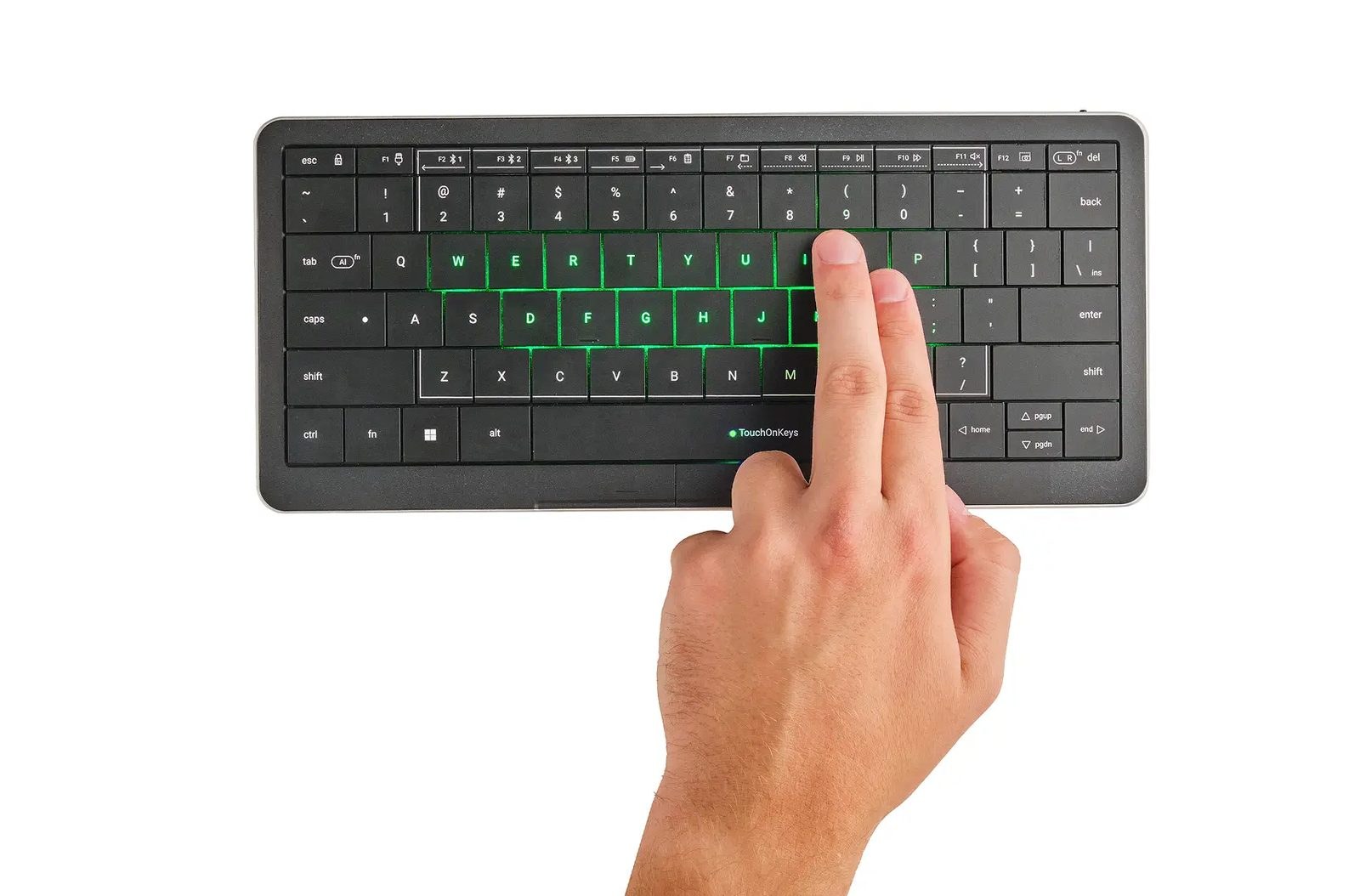
The central key grid functions as a touchpad, dynamically switching between tracking finger gestures and registering keystrokes. This mechanics makes scrolling through long documents genuinely convenient when jumping straight back into writing, eliminating the constant reach toward a separate desktop rodent or laptop palm rest.
That automatic switching, however, wages a constant war against ingrained muscle memory. Resting fingers naturally on the home row frequently triggers accidental three-finger gestures when no such input was intended. Clevetura attempts to mitigate this through its Adaptive Intelligence software, which calibrates sensitivity levels after analyzing 10,000 typed characters. Yet, this training demands running the TouchOnKeys app over a wired USB connection while touch recognition remains temporarily disabled, introducing an annoying software quirk right out of the box.
Battery life on the device manages respectable daily endurance for office tasks and writing sessions, comfortably surviving multiple days of moderate use on a single charge before demanding a refill over the USB-C link. However, heavy reliance on the per-key RGB backlighting will drain that internal battery significantly faster, forcing users to choose between glowing keys and extended time away from the wall adapter.
The Windows version tested handles standard gestures out of the box without requiring specialized background utilities beyond the initial setup, supporting up to three Bluetooth connections alongside a wired USB-C link. Dialing in the correct sensitivity setting requires budgeting genuine patience rather than expecting immediate perfection, and the premium price tag ensures buyers are paying heavily for an experimental hardware hybrid that demands considerable adjustment.
It reads as a worthwhile investment strictly for digital nomads who live out of a backpack and despise hauling an extra mouse, provided those users possess the discipline to retrain their hands never to rest on the home row.