
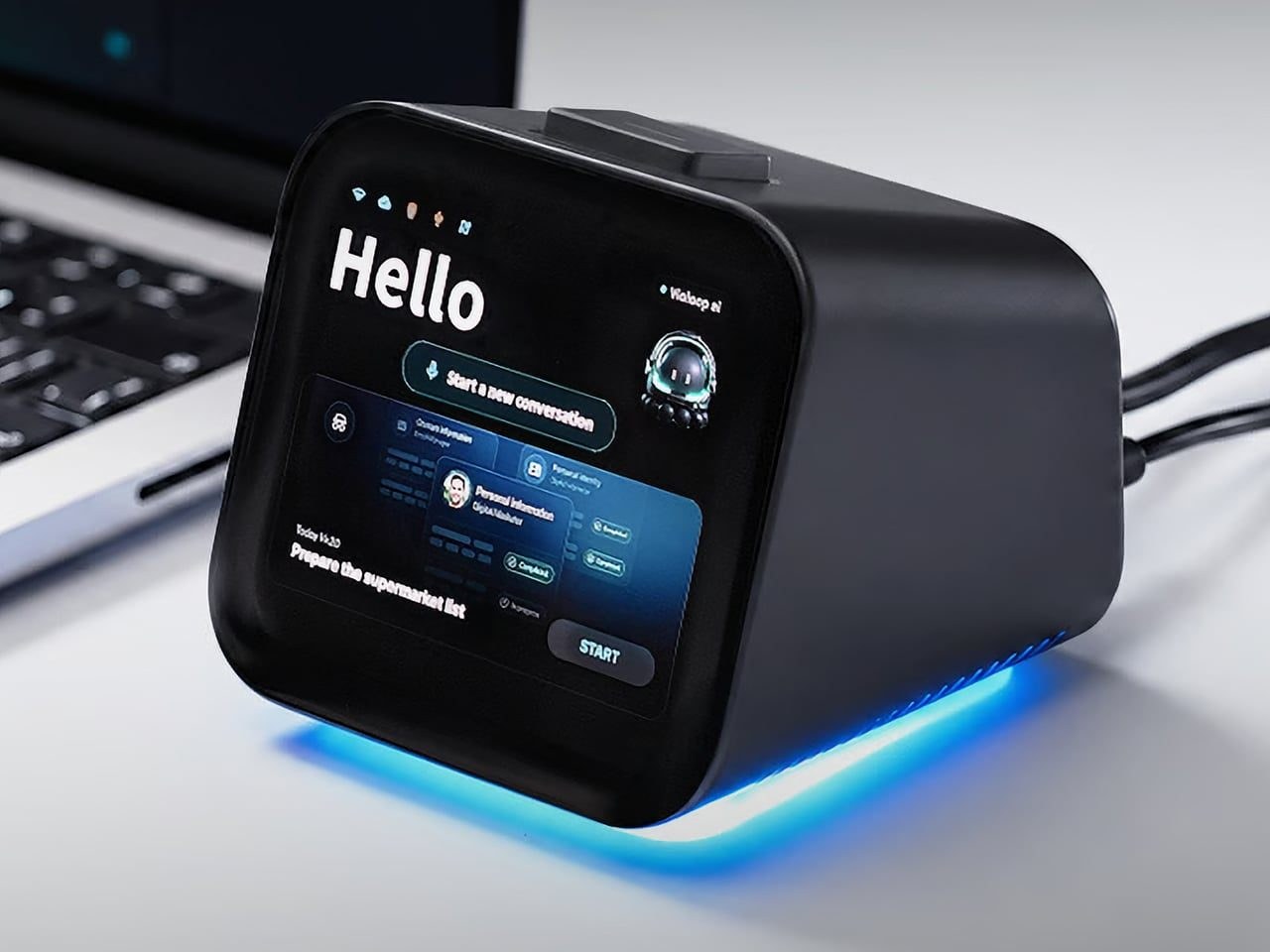
 opying customer details from a message into a spreadsheet probably isn’t anyone’s idea of a good afternoon. Unfortunately, even a perfectly capable computer still leaves plenty of that work to you. Team Violoop’s Violoop is a plug-in AI operator designed to handle those repetitive steps, giving your existing computer an assistant without asking you to replace the machine you’re already comfortable using. You can tell Violoop what you need in ordinary language, such as finding customer information in a WhatsApp conversation and entering it into a customer relationship management system. That might sound like a small convenience, until you’ve spent an afternoon repeating the same routine.
Team Violoop structured the project to let you explain the task instead of manually carrying every detail from one window to another. The Violoop crowdfunded device has raised over $2.8 million and is currently available during the campaign at a discounted price of $399, down from its planned $699 retail price. To accomplish this, the device interprets what’s on the screen and interacts with applications through keyboard and mouse controls. Its companion software supports Windows, macOS, and Linux, while the screen-based approach means it doesn’t need a dedicated integration for each application. You’re still working with familiar programs, only with assistance intended to bridge the gaps between them, and without the need to learn programming to give it instructions.
Local Power and Physical Controls
Customer records are only part of the paperwork that follows a small business around, as invoice details need entering into spreadsheets and documents need organizing. Violoop is designed to help with that preparation, taking on the repetitive handling while leaving you to check the information and decide what to do with it. Email offers another familiar example where Violoop can prepare replies as drafts for review, giving you a starting point while keeping the final wording in your hands so you can add the context that a customer relationship or a delicate conversation actually needs.
Violoop keeps personal memory on the device, retaining preferences and context so you don’t have to explain the same habits every time.
There’s also a reason this assistant takes up physical space on your desk, as its compact enclosure and angled touchscreen give ongoing tasks a place of their own rather than burying everything in another software window. Inside, the tiny device packs a punch of up to 26 trillion operations per second of AI processing, according to the manufacturer's specifications. That hardware is intended to support local screen understanding and other AI work on Violoop itself, while the gadget keeps personal memory on the device to retain preferences and context. Local memory doesn’t mean every task stays offline, however, because depending on the selected mode, Violoop can also connect to cloud services or larger AI models when additional help is needed.
Safety Checks Away From the Desk
The most interesting control might be the button on top, since Violoop separates AI processing from a dedicated security controller, adding a physical approval step for sensitive actions. The physical confirmation button gives that pause a tangible form. Preparing information and committing to an action are different responsibilities after all, and the design puts a deliberate checkpoint between what the AI proposes and what happens next. You don’t have to stay beside it to keep an eye on progress, either, because phone access allows users to check tasks, send further instructions, and approve sensitive actions while away from the desk, provided the computer remains on and connected.
An organized spreadsheet won’t decide which project you should take on next, and a drafted reply doesn’t know everything about the person receiving it, meaning those parts still belong to you. Violoop’s role is to help get the surrounding work ready, using a device that keeps progress visible and approval close at hand. That leaves the final email waiting for something decidedly familiar: your own words. Buying a separate physical screen just to run automated scripts feels like an expensive detour when software assistants already live inside your operating system. If you prefer keeping your workflows entirely software-based, this hardware gadget adds clutter rather than solving a real bottleneck.